

By default.
The ability to overclock is one of the strongest reasons why notebook users should unlock BIOS. Overclocking can be defined as the art of turning your hardware, especially the CPU, the graphics, the RAM, etc., beyond the factory standards. To gamers and performance lovers, it is a means of getting more out of their computers without necessarily purchasing new ones. Having an unlocked BIOS, the process of overclocks becomes a lot more adaptable, allowing you to have direct control of speeds, the voltages and the memory performance.
The Basics of Overclocking
In its simplest definition, overclocking is the act of running your hardware at speeds greater than the natural intended speed. An example of a CPU is capable of running at a base frequency that is set by its manufacturer. This can be increased by increasing the CPU multiplier in the BIOS, which will enable the processor to perform more operations per second. On the same note, memory modules can be configured to operate at increased speeds and this will cut short the bottlenecks in activities that are highly bandwidth-sensitive.
These options are often locked by the manufacturers as the frequency and voltage increase will produce more heat and also may shorten the hardware life. Nevertheless, by cooling the system and making the necessary modifications, overclocksing is safe and in most cases, it brings tangible changes in the gaming performance, video rendering, and multitasking capabilities.
CPU Overclocking in BIOS
BIOS unlocked access allows access to settings specific to the CPU, which are ordinarily not accessible. One of the most important parameters is the CPU multiplier also known as core ratio. Multiplier this and the clock speed of the processor increases directly. As an illustration, a 3.6 GHz to 4.2 GHz can be a very dramatic increase in computational capability.
Voltage controls are also opened. Additional voltage to the CPU may stabilize higher clock speeds, but this has to be offset with the extra heat compartmented. Some more advanced motherboards can even give you options to adjust load-line calibration and other more finely-tuned power delivery options, which are beneficial in terms of stability when working on heavy loads.
Graphics Cards and Advertisements.
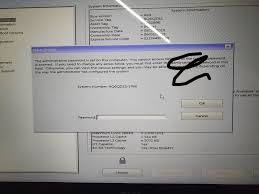
Most GPU overclocking is performed by using software in the operating system but some BIOS configurations, mainly those of laptops and built-in graphics cards, provide the ability to set the frequency and power parameters of each GPU. These options can be unlocked with the help of BIOS and help gamers have an advantage in games that are graphics intensive.
BIOS-level control is particularly desirable in systems in which the GPU and the CPU have to share thermal and power budgets. There is a balance to be reached by opening both components in harmony which will allow it to reach maximum performance without overheating.
Memory Timings and Memory Overclocking.
RAM overclocking is also another key benefit. Most systems have default settings of conservative memory. BIOS The ability to use XMP (Extreme Memory Profile) or to manually adjust memory settings of frequencies and times is frequently revealed via unlocked BIOS.
The increase in faster RAM can be extremely effective in activities such as gaming, content generation and scientific calculations. In frequency, timing adjustments (such as CAS latency) can decrease memory response times and make them more efficient. However, improper values can cause the system to be unstable and therefore this is one of the more sensitive sections of BIOS adjusting.
Cooling and Stability.
Any discussion on overclocking can not be complete without mentioning cooling. Increased clock speed and voltage are also associated with increased heat, which can cause your system to get unstable easily, and in most cases, it could turn out to be damaged. Amateurs tend to add to overclocking a high-capacity cooling system like liquid cooling, an expensive air cooler, or extra case fans.
The stability testing is also necessary. Once the BIOS has changes it is important to restart the operating system by booting and perform stress tests. These tests put the CPU, graphics and RAM to its capacity, so the overclock can be maintained in the real world. A system that crashes when stressed is one which must have its knob turned down or adjusted further.
